We’ve seen a lot of talk lately about whether it’s finally time to ditch Windows for Linux. With gamers, developers, and everyday users looking at alternatives, it got us thinking about something we don’t talk about enough: operating systems aren’t just software, they dictate how your entire workflow functions.
Here’s a breakdown of why that matters, and why so many are making the switch.
Why Everyone is Making the Switch
The “Valve” Effect: You no longer need to be a kernel hacker just to play games. Valve’s massive investment in Proton and the massive success of the Steam Deck have effectively solved the Linux gaming barrier overnight.
And users are getting tired of Windows’ forced telemetry, integrated ads, and AI “features” (like Copilot) that cannot be easily removed. People want to own their hardware, not rent it out to a data collection service.
Endless Updates: We’ve all been there anticipating to work on something or just chill after a long day and Windows just decides to shove an update in your. Linux distributions allow for updates that don’t really interrupt your tasks and installs only after you allow it to.
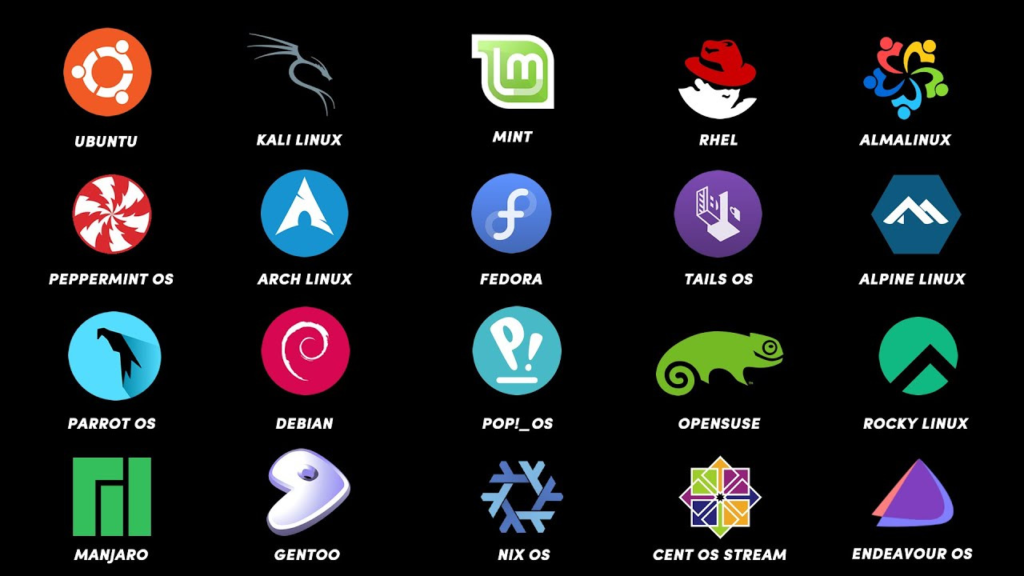
Customizability: Instead of the “one-size-fits-all” bloat of Windows, Linux distros offer tailored experiences. Whether you need Fedora for programming, Pop OS for productivity, or Linux Mint for everyday stability, these systems feel purpose-built for exactly what you need.
Why Is Memory Usage So Different?
Short answer = Windows is doing too much.
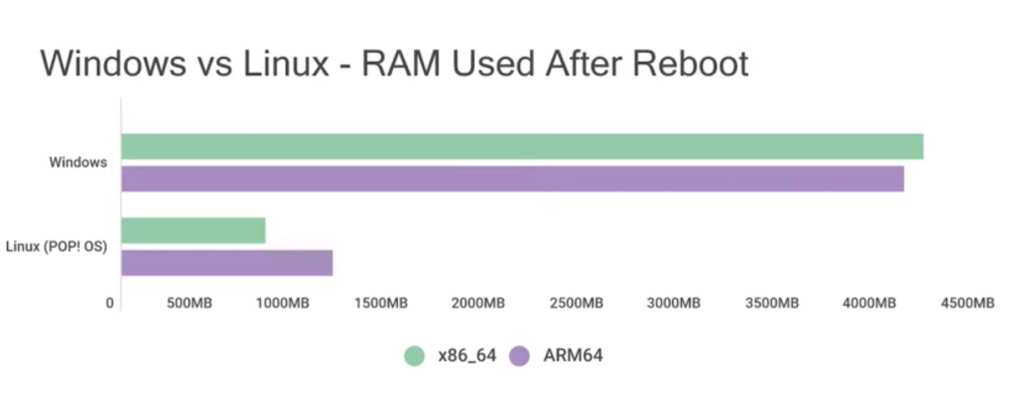
Out of the box, Windows includes thousands of background services: telemetry, indexing, cloud integration, Copilot, update checkers, and legacy compatibility layers. They all consume RAM even when your system is sitting completely idle.
Efficiency: Linux utilizes a much more modular approach. You generally only run the background services you explicitly choose to install. If you don’t need a cloud-syncing service or a specific background task, you simply don’t start it. It’s not something you have to jugaad your way out of using registry edits.
Cache: Both Linux and Windows “pre-load” files into RAM to make the system feel faster. However, Linux’s memory manager is historically much more aggressive about prioritizing active user applications over background bloat. When you open a heavy app on Linux, the kernel instantly dynamically swaps out low-priority background cache to clear space. Windows, conversely, often struggles because it is constantly competing for resources with its own active telemetry processes.
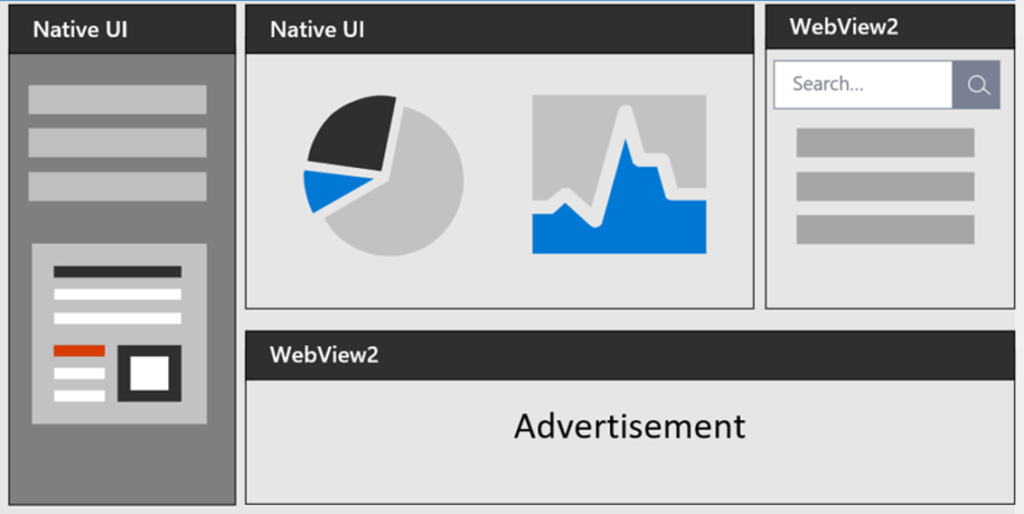
Web-Tech Bloat: Many of your standard Windows 11 system components (like Settings, Widgets, or parts of the Start Menu) are essentially built using web technologies like Electron or WebView2. You are practically running hidden instances of a web browser in the background, which consumes significantly more RAM than native code in linux ever would.
The State of ARM

Native ARM Software: With Google recently announcing native Chrome for ARM64 Linux and Valve releasing ARM drivers for its Steam Frame, a major barrier for casual users is actively dissolving. As mobile devices inevitably transition toward ARM chips, Linux is technically ready to run on these chips with much higher power efficiency than x86 Windows.
There have also been rumors for years about a “Windows Core” or “Windows Lite.” But Microsoft’s business model relies entirely on collecting data and pushing its cloud services (Office 365, Copilot). It is highly unlikely they will ever release a truly “stripped” version because it directly conflicts with their current revenue model.
Why Windows Still Wins

Despite the massive strides Linux has made, Windows is still the king of the hill for a few very specific, undeniable reasons.
Anti-Cheats: If you play Valorant, Rainbow Six Siege, or Call of Duty, you are stuck with Windows. These games use kernel-level anti-cheats (like Vanguard) that simply do not work on Linux. For competitive gamers, this remains the single biggest dealbreaker.
Productivity: While alternatives like DaVinci Resolve or Blender run great on Linux, the heavy hitters still demand Windows. The Adobe Creative Cloud suite, specialized CAD software like SolidWorks, and certain enterprise CRM tools still require Windows to operate properly.
Specialized hardware often demands plug-and-play simplicity. Whether it’s high-end audio interfaces, the absolute newest Wi-Fi cards, or niche specialized peripherals, Windows generally has the drivers ready to go, whereas it might require manual configuration on Linux.
Linux isn’t for everyone, but if your work depends on sheer system efficiency, privacy, and avoiding OS-level bloat, it’s becoming the best tool for the job.

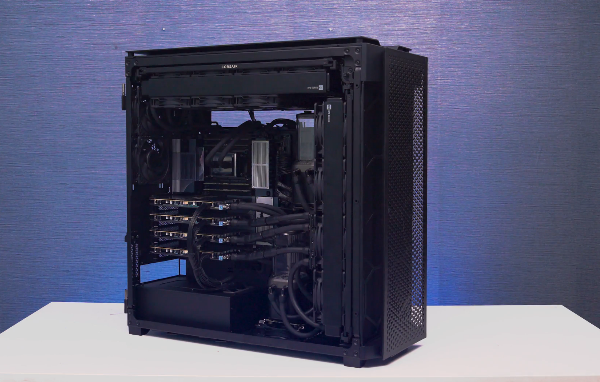
We build custom PCs and workstations tailored to exactly what you need. Whether you’re running heavy Linux engineering simulations, managing creative projects on Windows, or just need a rig for competitive gaming, we’ll configure a system that fits your workflow (not just throw specs at you).
Check out our workstation builds on our website and see what’s possible when you match the right hardware to the right problem.