The CPU is not the brain
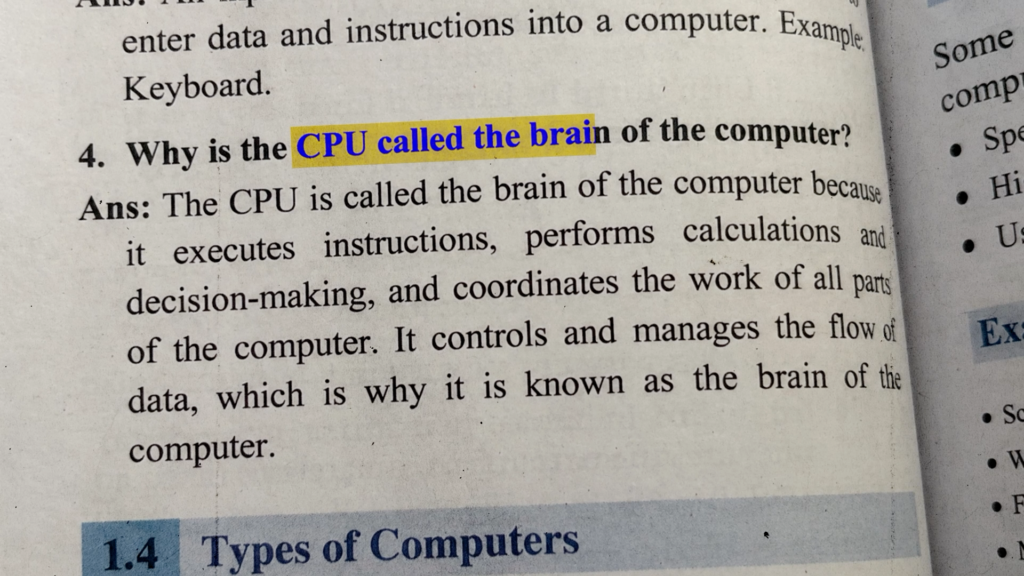
Back in school, we were all taught that the CPU is the brain of the computer. Sorry to break it to you, but that analogy is off.
The WHOLE computer is the brain. Each part copies a different job your brain does. The CPU reasons. The GPU handles the stuff you do on autopilot. And memory? RAM is memory. No wait, storage is memory. Fine: RAM is short-term memory, storage is long-term memory. Then what is the cache?
Admittedly it does get confusing real fast.
Memory is one of the most fascinating things in the human brain and in the machine that tries to copy it. So that’s today: what each type of memory does, why your PC needs all of them, and whether any of this explains why RAM prices have gone through the roof.
Why not one memory for everything?
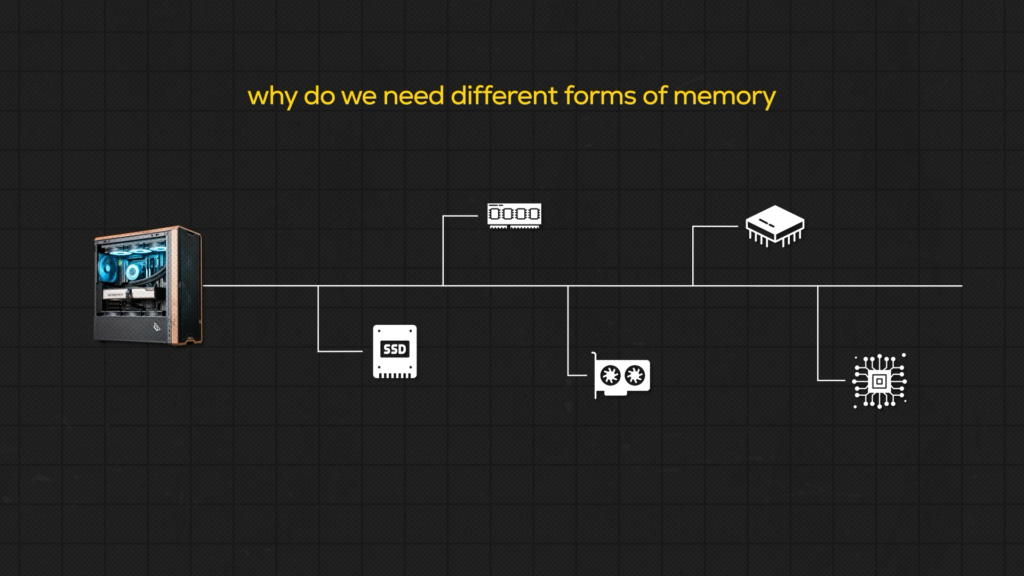
Because every type of memory trades speed, capacity, and cost against each other, and none of them wins all three.
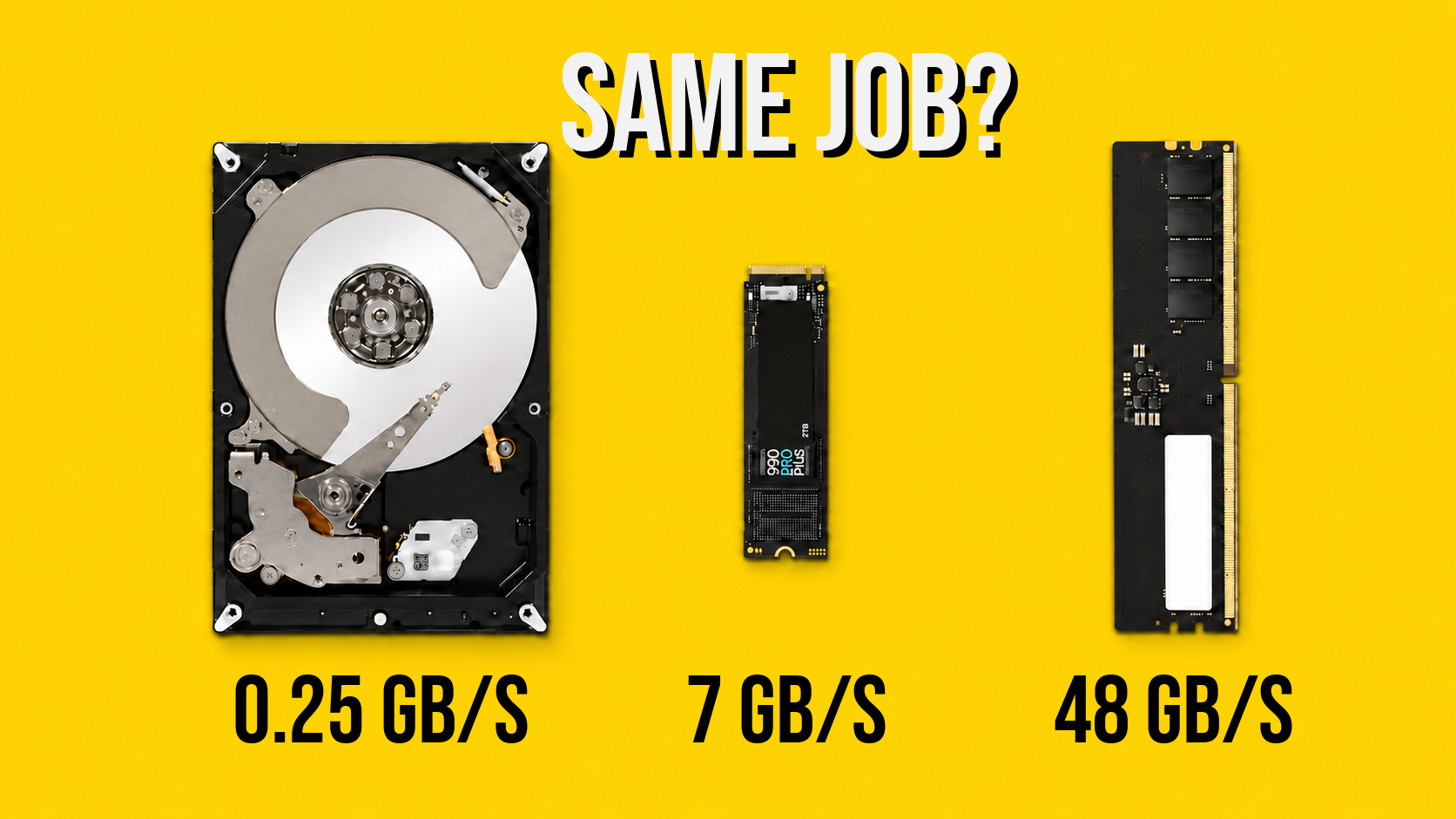
Hard drives and SSDs store terabytes for very little money per GB, but they are slow. SSDs are much faster than hard drives, sure, but they don’t come close to the CPU’s cache, which answers in about a nanosecond. Cache, though, is so expensive that nobody even sells it by the gigabyte. If someone did, you’d be looking at millions of dollars per GB.
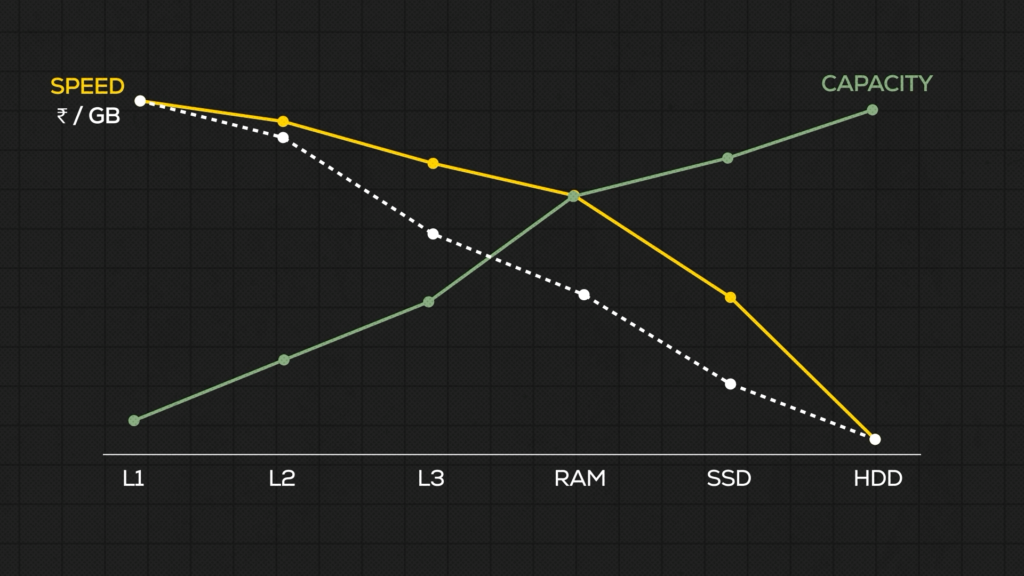
So your PC stacks several types of memory to get the best balance of the three. That’s the short answer.
But how does it strike that balance? How does the computer know which data you’ll need, and when?
The desk, the bag, and the library

Lets boil it down – Picture yourself as an office worker, back before offices had computers.
You are the CPU. Your tools, files, and books are the data. Anything that holds them, like a table or a shelf, is a memory unit. The rule is simple: the farther your stuff is from you, the longer it takes to get it.
So you have three places to keep things. Your desk, your bag, and a library. We’ll start with the slowest.
Part 1: The library (your SSD or hard drive)
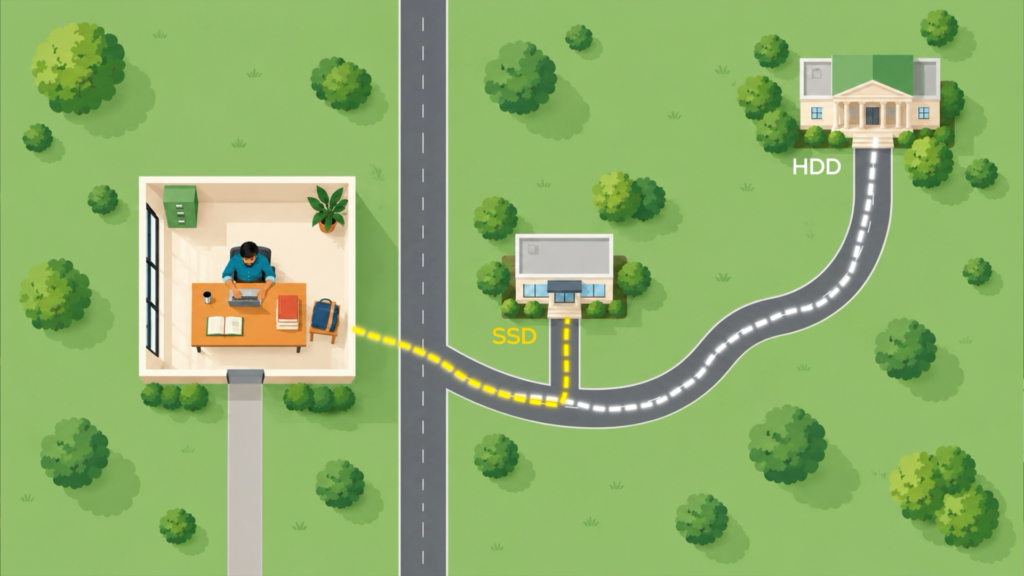
Storage is the library. A hard drive is the library on the other side of the city, maybe 12 km away. An SSD is the library just outside your office.
Every other type of memory exists to get data to the CPU faster. Storage is the only one built for one thing: holding as much as possible. Just like a library.
And that size is the problem. With so much stored, finding the few bits the CPU needs right now takes work. Even at the library next door, you still walk the aisles, find the subject, check the index, flip to the page.
That’s why, when the CPU asks for a piece of data, storage takes about 2000 times longer to answer than RAM.
Part 2: The bag (your RAM)

RAM has two specs that matter. Most people only look at one.
Speed, measured in megatransfers per second (MT/s), is how fast data moves between the CPU and RAM. In our office, it’s how fast you walk to your bag. A DDR5-6000 stick moves about 48 GB/s on a single channel. That’s only 3 to 7 times faster than a good SSD.
Wait. 2000 times faster a minute ago, now only 3 to 7? Both are true, and knowing why will help you pick better RAM.
Latency is the second spec, and the more important one. It’s how long RAM takes to find the data once the CPU asks for it. An SSD needs about 25 microseconds. RAM responds in 10 to 15 nanoseconds. That’s where the 2000x gap lives.
In other words, the walk to the library is only a few times longer than the walk to your bag. But finding the right book in a library can take an hour. In your bag, every book is already right there.
Technically, RAM lays data out like a giant spreadsheet. Every cell has an address, so the CPU can grab any cell directly without searching. That’s why it’s called RANDOM access memory: you can reach any piece at random.
A RAM buying tip
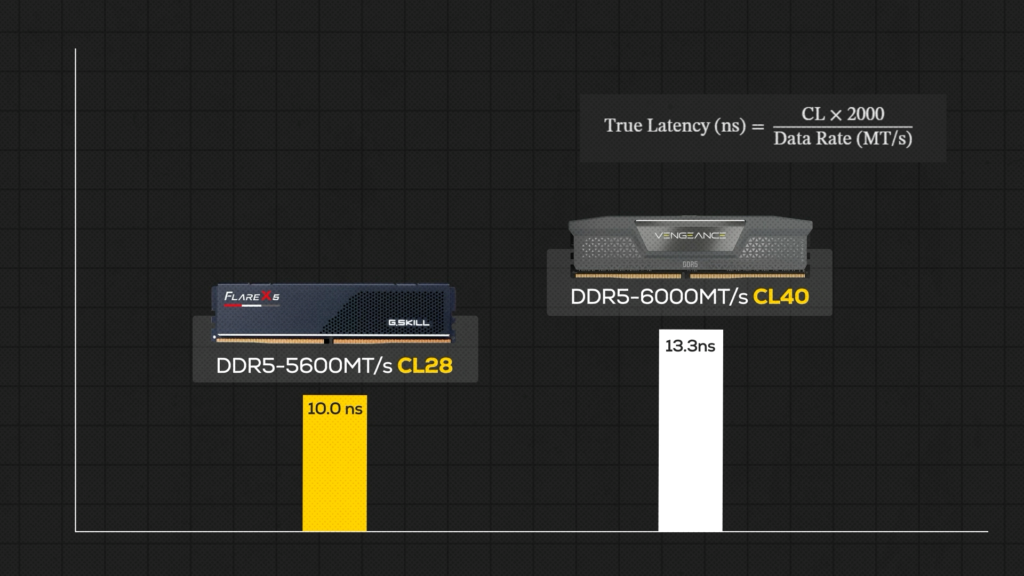
When you shop for DDR5, don’t stop at the MT/s number. Check the CAS latency (CL) too. A rough formula for how long a stick takes to respond:
A 5600 CL28 kit responds in about 10 ns. A 6000 CL40 kit takes about 13.3 ns. The “slower” kit answers faster, which matters most in latency-sensitive work like gaming. (Moving huge files is a different story. There, raw MT/s wins.)
Why a few nanoseconds matter
A 5.6 GHz CPU runs 5.6 billion cycles every second, about one every 0.18 ns. Each cycle needs only a few bits of data, but it needs them NOW. An 80 ns wait for RAM is roughly 450 cycles of doing nothing.
Picture the guy at the desk. His papers run out and nobody brings new ones. Work stops, right?
Ideally, we’d want zero latency. That isn’t possible. But there’s a cache. (Yes, we see what we did there.)
Part 3: The desk (your CPU cache)

Cache is your desk. The books are already open, the page you need is in front of you. No walking, no searching, no opening the bag. You look down and get to work.
That’s why cache lives on the CPU chip itself. Your desk, right in front of you.
But even a desk has near and far spots, so cache comes in levels. Each one is bigger and a bit slower than the last, and all of them are faster than RAM.
Yes, L1 is only 32 KB. Wait, what? It’s the price of answering in a nanosecond.
AMD’s 3D V-Cache chips push the analogy one step further: they bolt an extra shelf onto the desk, 64 MB more L3 stacked onto the chip. That’s why those chips jump so much in games. The CPU finds its stuff on the desk and rarely reaches for the bag.
Who decides what goes on the desk?
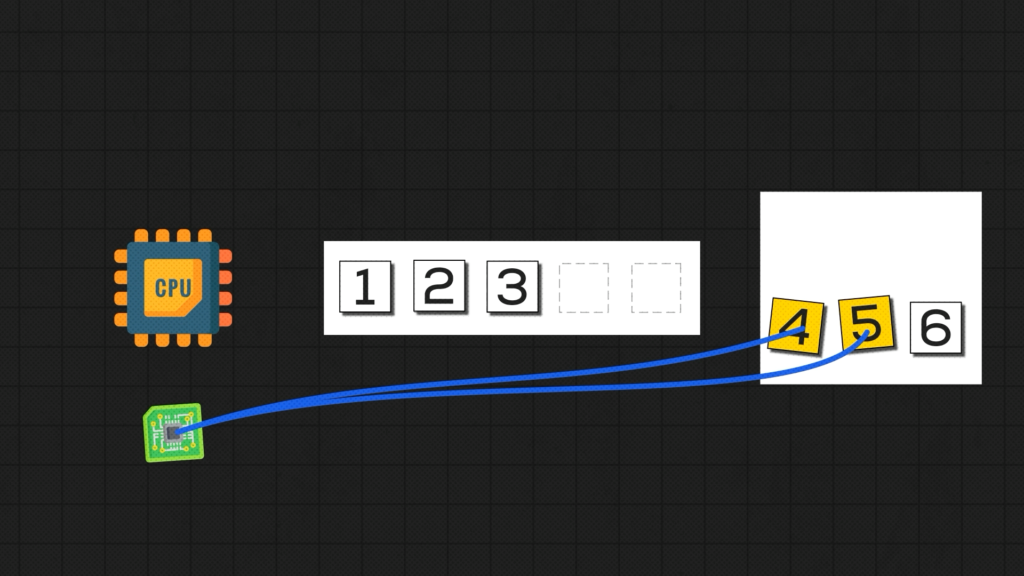
You’re busy working. So who puts the right files on your desk?
The CPU has a helper called the hardware prefetcher. It watches which memory addresses the CPU is reading, spots patterns, like a program walking through a file line by line, and pulls the next chunk into cache before the CPU asks. Programs can also leave hints. In the office, it’s the assistant who puts the file on your desk before you call for it.
When the guess is right, the CPU never waits. When it’s wrong, that’s a cache miss. Time to open the bag, and the CPU sits through a 70 to 80 ns trip to RAM.
The full picture
- You open an app. The CPU copies it from the SSD into RAM, library to bag. That’s the loading time, and even the fastest SSDs take a few seconds.
- You start working. The prefetcher keeps pulling what you’ll need from RAM into cache, bag to desk, so the CPU stays busy.
- A wrong guess means a cache miss, and a wait.
Each type of memory exists to cover for what the one before it lacks. And that’s exactly where the RAM crisis comes from.
Part 4: The crisis
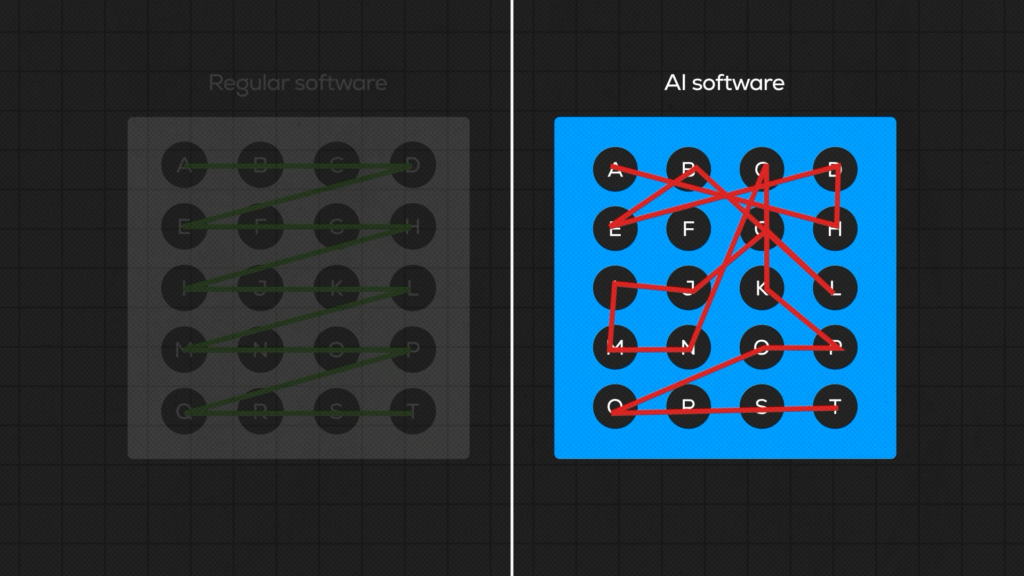
Remember the start? The computer is an attempt to copy the human brain. And the hardest part of the brain to copy is learning.
For most of history, computers could only follow instructions. AI and machine learning changed that. But it comes at a cost, and the cost is memory.
Regular software works on small, predictable chunks of data. The prefetcher guesses well, the desk stays stocked, the CPU rarely waits.
AI is different. Every single word an AI model writes passes through the whole model: billions of parameters, tens to hundreds of GB of them. No desk holds that. And no assistant can guess which files you’ll need when the answer is: all of them, every time.
So what do you do when the desk is too small? You throw more mon… sorry, more memory at the problem. Lots of very fast, very expensive memory, packed right next to the AI chips.
Every AI company on the planet is doing exactly that. They’re all betting the next machine is the one that finally thinks like us, and nobody wants to fall behind in this race. Memory makers follow the money, more of their factories make memory for AI, and less is left for regular PCs.
Which leaves the rest of us bidding for whatever’s left. Hmm.
Your brain did it first

Here’s something to leave with a bit of hope.
The problem the whole industry is throwing billions at? Your brain solved it a long time ago. It holds a lifetime of memories and runs on about 20 watts, less than a laptop charger.
It doesn’t keep everything loaded. It somehow knows what to recall, when to recall it, and lets the rest sleep.
Samsung, Micron, Nvidia, with all their factories and all their billions, are still chasing something that sits inside your skull. For free.