
Thinking about building your dream world in Unreal Engine 5.4?
Maybe it’s the next Elden Ring… or a stunning virtual chai shop. You download Unreal, hit launch, and suddenly — your system goes into meltdown. Stutters, crashes, and fan noises straight from a jet engine.
Let’s fix that.
In this guide, we’ll break down exactly what hardware you need to build a PC that can run Unreal Engine 5.4 like a pro — whether you’re an artist, coder, or a full-stack world builder.
CPU – The Brain of Your Machine
Unreal Engine thrives on a strong CPU. Whether you’re compiling shaders, baking lightmaps, or building C++ code, your processor does the heavy lifting.
For Artists & Generalists
You’re dealing with textures, models, shaders, and simulations. What you need is a CPU with fast single-core performance and a large cache.
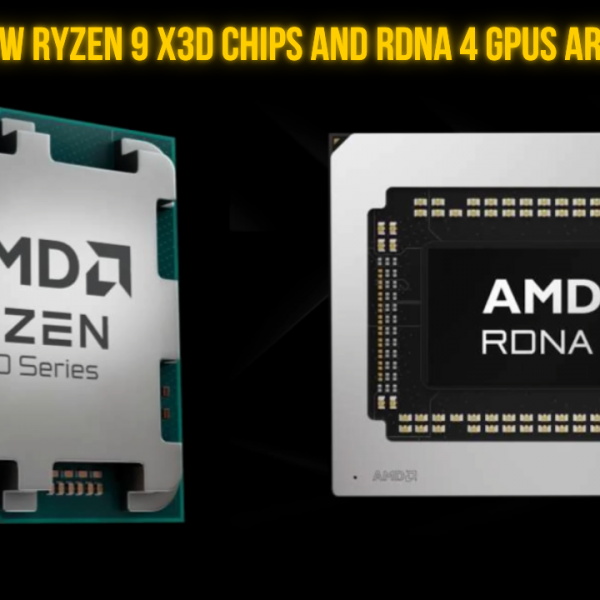
- Recommended CPU: AMD Ryzen 9 9950X3D
- Outstanding single-core speeds
- 3D V-Cache boosts shader compile times by up to 15%
- Ideal for smooth editor use and rapid iteration

Why does 3D V-Cache matter?
Think of it like feeding biryani to a hungry brain — shaders love cache.
For Programmers & Compilers
If your day revolves around building code, speed and cores are key.
Recommended CPUs:
- AMD Threadripper 7970X / 7960X
- Insane multi-core performance — perfect for C++ compiles, build servers, and serious dev workflows

Budget Option: Ryzen 9 9950X3D still offers a solid balance if you’re cost-conscious but need decent compile speeds.
GPU – Powering Your Pixels
Let’s bust a myth: the GPU isn’t everything — unless you’re in virtual production or working with heavy scenes.
When the GPU truly matters:
- Virtual production pipelines
- GPU lightmap baking
- Real-time cinematics
- High-res, photoreal environments
Top GPU Picks:
NVIDIA RTX 5090 (32 GB VRAM)
- Absolute beast
- 18% faster than 4090
- Ideal for cinematic workflows, VR, and heavy scene rendering

RTX 5080 / 5070 Ti
- Great upgrade path from the 30 Series
- Efficient performance without blowing your budget

RTX 5070 (12 GB)
- Solid entry into the 50 Series
- Lets you invest more in RAM or faster storage

Pro Tip: More VRAM = less bottlenecks. Unreal + Blender + Chrome + Spotify? You’ll thank yourself.
RAM & Storage
RAM: Think of it as your desk space
- 32 GB – Minimum for serious UE5 work
- 64 GB+ – Recommended for large worlds, light baking, and multitasking
Storage Setup:
- Primary (OS + Unreal): NVMe SSD – Fast boots, fast launches
- Secondary (Projects): SSD/NVMe – Keep those levels loading fast
- Optional Third (Backups): HDD or NAS – For your “final_final_v12” files
Desktop vs. Laptop – What’s Best?
Can Unreal Engine run on a laptop? Sure.
Laptops:
- Good for portability
- Tend to thermal throttle
- Less consistent under sustained load
Desktops:
- Better thermals, more upgrade options
- Superior performance
- More cost-effective long-term
Rule of thumb: Laptops for mobility. Desktops for productivity.
Final Thoughts – Choose What Fits You
So, what’s the right hardware for Unreal Engine 5.4? That depends on your role:
- Modelers/Artists: Ryzen 9 9950X3D + mid/high-tier RTX 50 Series
- Programmers: Threadripper — the more cores, the better
- Cinematics/VR: RTX 5090 + lots of VRAM
- Beginners/Balanced Builds: Ryzen 9, RTX 5070/4070, 32 GB RAM, NVMe SSD
Avoid bottlenecks. Don’t pair a monster GPU with a budget CPU — keep your system balanced for the best experience.
Conclusion
We build systems specifically designed for Unreal Engine workflows. Whether you’re a freelancer or a full studio, we can spec, build, and support your dream machine.
Visit our website or drop by any of our stores across the country.
Let’s make world-building smoother, faster, and a lot more fun.
Until next time – Cheers!